A second brain for your business

Never miss a customer call again.

It picks up when you can't. Type your website: in seconds it learns your prices, hours and policies.

Less than 60 seconds. No sign-up. Then talk to it as if you were your own customer.Not ready? Call our example dentist first.

A missed call doesn't leave a message.
It calls the next name on the list.

You're with a patient. Under a sink. Halfway through a haircut. The phone rings four times and goes to voicemail, and most people don't leave one.

A receptionist is a full salary. Voicemail is a customer who called someone else. Both leave you choosing between the work and the phone.

Nia answers every call, at any hour, books the visit and writes down what was said. You pick up only when someone needs you.

Today
  • The phone rings while your hands are busy
  • After hours it rings out
  • You call people back in the evening, if they left a message
With Nia
  • Every call answered, day and night
  • Appointments booked into your calendar while she is on the call
  • Each call written down on one screen: who, what they wanted, their number
Your own numbers
New callers a day who give up
What they wanted

The example's prices; with your website the sum uses the prices found on it. Most people who miss you call again. Count only the ones who do not: only you know how many.

One caller a day who gave up costs our example dentist
$745
a week

One caller who wanted a first visit and gave up is $149 that went to someone else. One a day, five days a week, comes to this.

These are estimates. The next step is real.

Try it with my website
One call, start to finish

Don't take our word for it.
Watch one call.
Press listen to hear it.

Incoming call · Tuesday 12:41
Northside Family Dental
Answered by Nia
What was said
  1. Nia
    Hi, this is Nia at Northside Family Dental. How can I help?
  2. Caller
    Hi. How much is a cleaning for a new patient? And are you open Saturday?
  3. Nia
    The first visit is $149: an exam, X-rays and a cleaning, about 75 minutes. And yes, Saturdays from nine to one.
  4. Caller
    Saturday morning would be great.
  5. Nia
    This Saturday I have 9:30 or 11:00. Which suits you?
  6. Caller
    9:30. The name is David Miller.
    Caller saved · David Miller
  7. Nia
    You're booked, David: Saturday at 9:30, new patient visit.
    Booked in the calendar · Saturday 9:30
  8. Caller
    One more thing. Do you do payment plans for a crown?
  9. Nia
    I don't have that on file, and I won't guess. I'll have the office call you back today with the answer.
    Task written for the owner
  10. Caller
    Perfect, thank you.
  11. Nia
    See you Saturday, David.
    Transcript and summary filed

An example. The practice and the caller are made up and the call is written by us; the voice is Nia's own, and what lands on the right is what a real call leaves. Call this office yourself. Ask her for a time and she books it.

What landed on your side
Caller
David Miller · new caller
His number is saved. Next time he calls, Nia knows who he is and what was agreed.
Calendar
Booked · Saturday 9:30, in your calendar
  • 9:00Booked
  • 9:30David Miller · New patient visit · $149
  • 10:45Booked
  • 11:00Free

Nia offered only the times that were free. Nobody has to call him back to confirm.

Task for you
Call David Miller back · payment plans for a crown
He asked what Nia had no answer to, so she did not guess. One tap calls him, or Nia makes the call for you.
Conversation
Transcript, recording, summary
“New patient, booked Saturday 9:30. Wants to know about payment plans for a crown.”

Nobody at the office picked up the phone. The patient is booked, the task is written, the call is filed.

How it works

Live before your coffee goes cold.

  1. 01

    Type your website.

    In seconds it has read your pages and knows your services, prices, hours and policies. Nothing to fill in, no sign-up.

  2. 02

    Call it before you decide.

    You get a page with everything it learned, and the questions customers ask that your website leaves open. Then talk to it in your browser, or from your own phone on a demo line. Ask the awkward questions.

  3. 03

    Keep it, free.

    One line of code puts it on your website. Customers ask in chat or call from the browser, it books them into your calendar, and every conversation reaches you on one screen. No card.

  4. 04

    Add your phone when you’re ready.

    Keep the number your customers know and forward it with a six-digit code and a test call. Or take a new number from us. Five minutes, from $99 a month.

How your clients reach Nia

Two ways in.
One Nia answering.

By phone or on your website, she answers from the same knowledge of your business, and every conversation lands on one screen for you.

  1. 1Paid plans

    Your phone number

    Clients call the number they already know. Set up call forwarding with one phone call; turn it off at any time.

    Your businessYour business number
    After you set up call forwarding
    AnsweredNia answers as your business
  2. 2Free

    Your website

    The same Nia on your own website: a chat button in the corner of your pages, added with one line of code.

No website? Nia comes with a page of her own, with chat and calls from the browser, free.

Where those calls end up

A client asks for a time.
It is in your CALENDAR.

Nia offers the times that are free, books the one the client picks and puts it in your calendar: the time, the client, the service and their phone number. Nothing to connect first.

Your calendar · this weekExample
Client“Do you have anything on Thursday afternoon?”
Nia“Thursday at 3:30 is free. Shall I book it for you?”
  1. Mon2
  2. Tue4
  3. Wed1
  4. Thu23
  5. Fri3
  6. Sat5
  7. Sun2
Thu 3:30 PM · New patient visit · $149Sarah M. · booked by Nia on a call
  • Only times that are free

    Your opening hours, minus what is already booked.

  • As many at once as you allow

    One chair or five rooms: you set the number.

  • Google Calendar, if you use it

    Connect it and its busy times block too; each appointment is copied there.
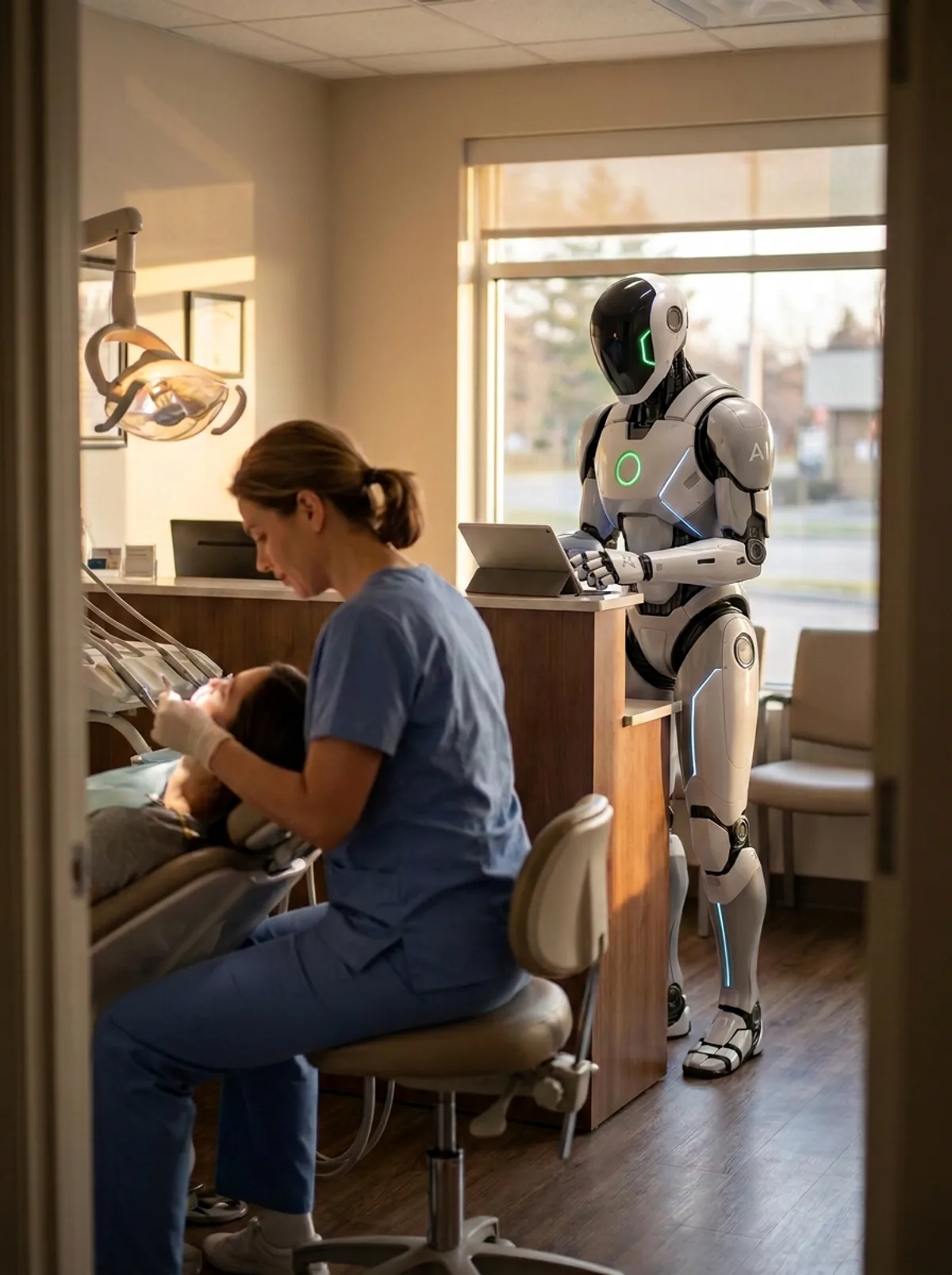
Works where you work

Hands full. Phone answered.

A dentist treats a patient while the Abatron unit handles the desk behind her
Dental practice
You're with a patient. It's on the phone.
A plumber and the Abatron unit walk to the van together at dusk, reading a tablet
Plumbing
The 10 pm leak went to the on-call plumber in ten minutes.
The Abatron unit hands a key card to a couple with suitcases at a small inn
Small hotel
A guest from six time zones away, booked while you slept.
Abatron unit
One brain. The voice you choose.

Same brain.
Four voices.
Press play,
it is the real thing.

The name and the voice are yours to pick in setup. What sits behind them does not change: your card, your calendar, your rules.

Or hear it on your own business

Type your website. Nia reads it and knows your business. Then call her or chat with her, as your own customer would.

Less than 60 seconds. No sign-up. Nothing to install.

“Hi, this is Nia at Northside Family Dental. I can book you for Friday at ten, or take a message for Dr. Patel.”

What it does

Not a receptionist.Not a chatbot.The brain that connects your business to the world.

Remembers every caller.

It knows where they call from and remembers them by number. The second call starts where the first one ended.

Takes the message.

Who called, what about, how urgent. Routed to the right person, a copy to you.

Calls back for you.

Hand it the task and it makes the call: confirms the time, asks the question, tells you how it went.

Hands you the day.

A spoken briefing of what happened and the few things that need your word. Press Enter and tell it what to do next.

Tells you what your website doesn’t.

It reads your site the way a customer would and shows you the questions it leaves open. Type the answer once, and that is what Nia says from then on.

Writes as you.

Dictate it. The mail goes out from your address, in your name.

What it never does

The rules are the product.

A brain you can't trust is worse than voicemail. So Abatron works from one source of truth: the card you approved and the tools it is given. Nothing else.

Invent a price.
If it isn't on your card, it says so and takes a message. A made-up number costs you a customer and your word.
Promise a time you don't have.
It offers only the times that are free: your opening hours, minus what is already booked. Where booking is off, it takes the wanted time as a request for you to confirm.
Play doctor, lawyer or plumber.
It routes the urgent ones to a person fast. It does not diagnose, quote or advise.
Hide a call from you.
Every conversation sits in your dashboard with the transcript, the recording and how it ended.
Pricing

Less than one missed appointment.
Paid by the month, cancel any time.

A live receptionist service charges about $10 a call.1 On Starter, a call Nia answers comes to $0.99, day or night, with booking, the recording and the transcript included.

Free

$0

Nia on your website.

  • A chat button on your own website, one line of code
  • Chat with Nia, 50 conversations a month
  • Calls from the browser, 30 a month
  • Appointments booked into your calendar, 20 a month
  • Every conversation on one screen, with email alerts
  • No website? yourname.abatron.ai: hours, services, map, FAQ
Start free

No card.

Starter

$99/ month

Nia on your phone.

  • Everything in Free
  • A phone line: keep your number or take a new one
  • 100 calls a month
  • Appointments booked with no monthly ceiling
  • Every call transcribed, recorded, summarised
  • Messages and requests routed by email

Pro

Our pick
$199/ month

A front desk that runs your day.

  • Everything in Starter
  • 300 calls a month
  • “Tell Nia”: dictate your day and she gets it done

Business

$399/ month

For the phone that never stops.

  • Everything in Pro
  • 1,000 calls a month
  • Priority support: your questions answered first

A call is a customer talking to Nia by voice, on the phone or from your website. Chat and your own calls to her don't count as calls. Neither do spam, calls under 15 seconds, or calls that never connect.

Reach your plan's calls and Nia politely asks callers to email or call back, and we tell you the same minute. Move up any time, under Plan. Cancel any time and you are back on Free: your page, everything Nia knows, your calendar and your conversations stay as they are. Only the phone line stops.

Prices in US dollars. The phone starts the moment your card is in. Until then, everything else is free, for as long as you like. The numbers we give out today are US numbers; local numbers are added country by country.

Cards are taken by Stripe on its own secure page; we never see or store your card number. Not happy in the first 30 days? Write to us and your first payment comes back in full. Billing, cancellation and refunds.

1 Smith.ai Virtual Receptionists (calls answered by people), Starter plan, 30 calls for $300 a month, as published on smith.ai/pricing/receptionists, read on 22 November 2026.

Questions owners ask

The things you'd ask us on the phone.

Can I try it before I sign up?
Yes. Type your website at the top of this page. In seconds it knows your business, and you can call it and ask what your customers ask. No sign-up, no card.
Does she sound like a robot?
No. A natural voice, real pauses, and she copes when people interrupt or ramble. Talk to her in your browser before you decide anything.
What happens when she doesn't know?
She says so and takes a message. She never guesses a price, a time or a yes. You see the question in your inbox and add the answer to her card once.
Do I need a new phone number?
No. Forward the number your customers already know, and turn it off whenever you like. Or take a new number from us if you prefer to keep them apart.
I already have a website. Do I need your page?
No. Nia goes on the website you have, as a chat button added with one line of code. The page at yourname.abatron.ai is for a business without a site, or as the link in your Google profile, your Instagram bio or a text message. The phone works without either.
Do I need Google Calendar or a booking system?
No. Nia books into a calendar that comes with her: your opening hours, minus what is already booked, as many at once as you allow. You can also connect Google Calendar, so its busy times block too and each appointment is copied there.
How long does setup take?
Reading your website takes seconds. The chat button is one line of code. Forwarding your number, about five minutes. Most owners are live the same afternoon.
Can I hear what she said?
Every call: transcript, recording and how it ended, in your dashboard the moment she hangs up. Nothing happens behind your back.
What about my customers’ data?
Encrypted, never sold, never used to advertise. Who processes what is public on our sub-processors page, and you can disconnect or delete at any time.
Can I cancel?
Any time, from Settings, with no call to make. You are back on Free and keep your page, everything Nia knows, your calendar and your conversations; only the phone line stops. Your first payment is covered by 30 days money-back, no questions asked.
Abatron · Engineering the future of intelligence

Give it your website.
Then decide.

In seconds it knows your business. Call it and ask what your customers ask. Then keep it for free: chat and calls on your website, bookings in your calendar, every conversation on one screen. Add your phone number when you’re ready.

No sign-up to try, no card to keep. Free covers 50 conversations a month, including 30 browser calls and 20 bookings.